
Guiding Steps on How to Save Emails from Roundcube to Office 365?
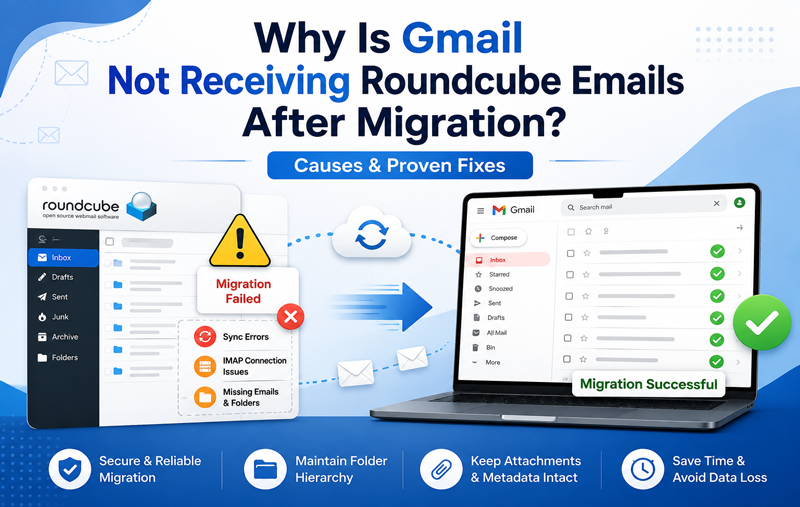
Roundcube is a popular web-based email client used to access messages stored on an IMAP mail server. While it works well for everyday email management, organizations often move their mailboxes to cloud platforms such as Microsoft 365 for better collaboration, centralized administration, and scalability. During this transition, users may need to save or transfer important Roundcube emails to Office 365 without losing message content or attachments.
However, Roundcube itself does not provide a direct option to migrate an entire mailbox to Office 365. A practical approach is to first export the required Roundcube emails into a supported file format and then import them into the Microsoft 365 mailbox.
This article explains a reliable way to save Roundcube emails and move them to Office 365 using the Roundcube to Office 365 for Mac tool.
Why Save Roundcube Emails to Office 365?
There are several reasons users choose to move Roundcube emails to Microsoft 365 -
- Cloud-based email access - Access emails from different devices without depending on the original mail server.
- Better collaboration - Microsoft 365 integrates email with applications such as Outlook, Teams, and OneDrive.
- Mailbox consolidation - Businesses can bring emails from multiple hosting environments into Microsoft 365.
- Data preservation - Important business correspondence can be retained before changing or closing an existing email service.
- Improved administration - Microsoft 365 provides centralized management and security features for organizational accounts.
The main challenge is preserving the original email data, including attachments, folders, dates, and message properties.
What Makes Roundcube to Office 365 Migration Difficult?
Roundcube is primarily an email interface rather than a standalone mailbox storage format. The actual messages are generally stored on an IMAP mail server. Therefore, simply downloading emails through a browser does not provide a complete mailbox migration solution. Users may also face limitations when -
- A large number of emails need to be transferred.
- Multiple folders must be preserved.
- Attachments need to remain accessible.
- The existing mail server is being decommissioned.
- A complete local backup is required before migration.
For these situations, exporting Roundcube mailbox data first provides an additional layer of control over the migration process.
Why Use Roundcube to to Office 365 Tool for Mac?
Manually saving individual emails can become inefficient when dealing with hundreds or thousands of messages. A dedicated backup application can simplify the initial export stage by allowing users to process mailbox data in bulk.
The MacMister Roundcube Backup Tool for Mac is particularly useful for Mac users who want to create a local copy of Roundcube mailbox data before moving to another email platform. Some practical advantages include -
- Supports bulk email backup.
- Provides folder-level selection.
- Helps preserve email content and attachments.
- Allows users to create a local backup before migration.
- Reduces dependence on manual email-by-email downloading.
- Provides a structured approach for handling large mailboxes.
Things to Check Before Migrating to Office 365
A successful migration requires more than simply exporting emails. Before moving Roundcube data to Microsoft 365 by the Roundcube Email backup tool for Mac, check the following -
- Verify Account Credentials - Make sure the Roundcube/IMAP credentials are correct and that the account permits external IMAP access.
- Check Available Storage - Verify that the destination Microsoft 365 mailbox has enough storage for the imported messages and attachments.
- Maintain Folder Organization - If the mailbox contains important custom folders, determine how those folders will be represented in the Office 365 mailbox before beginning the migration.
- Test with a Small Mailbox - For organizations migrating multiple accounts, perform a test migration with a small mailbox first. This helps identify authentication, formatting, or folder-mapping issues before processing the remaining accounts.
- Keep a Backup - Do not immediately delete the original Roundcube mailbox after migration. Retain the exported backup until the Office 365 data has been verified.
Final Thoughts
Saving Roundcube emails before moving to Office 365 is an important step for organizations that want to protect their existing mailbox data. Since Roundcube does not provide a direct full-mailbox migration option to Microsoft 365, exporting the messages first can make the transition more manageable.
Using Roundcube to Office 365 for Mac tool, users can create a local copy of Roundcube emails, select required folders, preserve important mailbox data, and prepare the exported content for the next stage of their Office 365 migration. A test migration and proper backup verification are recommended before removing data from the original mail server.

 Arabic
 French
 Spanish
 Portuguese
 Deutsch
 Turkish
 Dutch
 Italiano
 Russian
 Romaian
 Portuguese (Brazil)
 Greek