
How to Access MBOX Emails in PDF Document on Mac?

If you receive MBOX file from a client and does not have any of its supported application on the system, wondering how to access MBOX emails in PDF document on Mac safely! Then do not take worries anymore, because in the following segment you will encounter a solution that will quickly make your MBOX file accessible by converting it into PDF.
Why to Access MBOX Emails in PDF on Mac?
MBOX is a plain-text file that many email applications make use of to archive email messages. It is easily accessible by using any text-editor but not appropriately. Therefore, several users face issues whenever they have to manage MBOX files on a Mac system. So, the best way that they could think of is to view MBOX file email in PDF.
PDF, a Portable Document Format is a document file that is created by Adobe to share & exchange documents irrespective of any hardware, software, or operating system being used. PDF is mostly used for the documents that need to be protected and preserved such as scanned documents, eBooks, job applications, etc. The format is also useful in sending the documents electronically or for documents which need to be downloaded and printed such as application forms, resumes, and contracts. Also, it is considered as one of the most secure file format due to its highly advanced secure options such as digital signature, watermark, and password. In other words, PDF files are not easily viewable by anyone and this will safeguard the confidential data stored in it.
But, how to see MBOX file email in PDF on Mac. Let us understand the complete process in detail.
How to Access MBOX Emails in PDF Document on Mac?
The easy and simplified way to access MBOX emails in PDF on Mac is MacMister MBOX to PDF Converter Mac & Windows. The software is user-friendly, easy-to-use, and reliable. Both professional and non-professional user can operate the app effortlessly and convert MBOX to PDF to view MBOX file email in PDF on Mac. Also, the self-navigational steps will make the process easier and will help users in completing the entire task in minimum time.
Moreover, the software contains wide ranging features and options that can be used to save MBOX emails in PDF according to specific requirements. However, a freeware version of the app is also available that can be easily utilized by users to check the entire process for free.
Working Steps to Access MBOX Emails in PDF on Mac
Step 1. Download, and open the app on a Mac system.
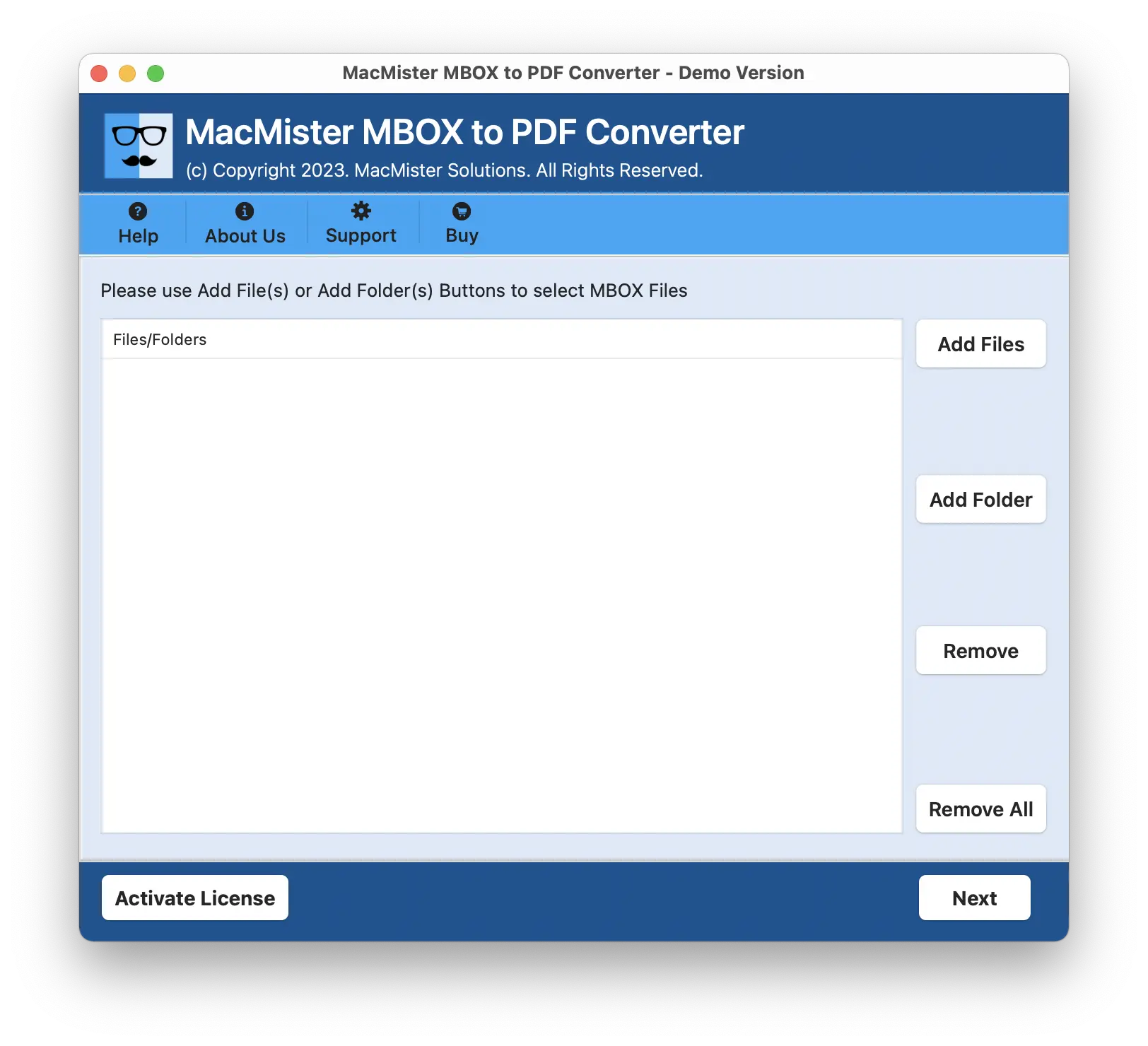
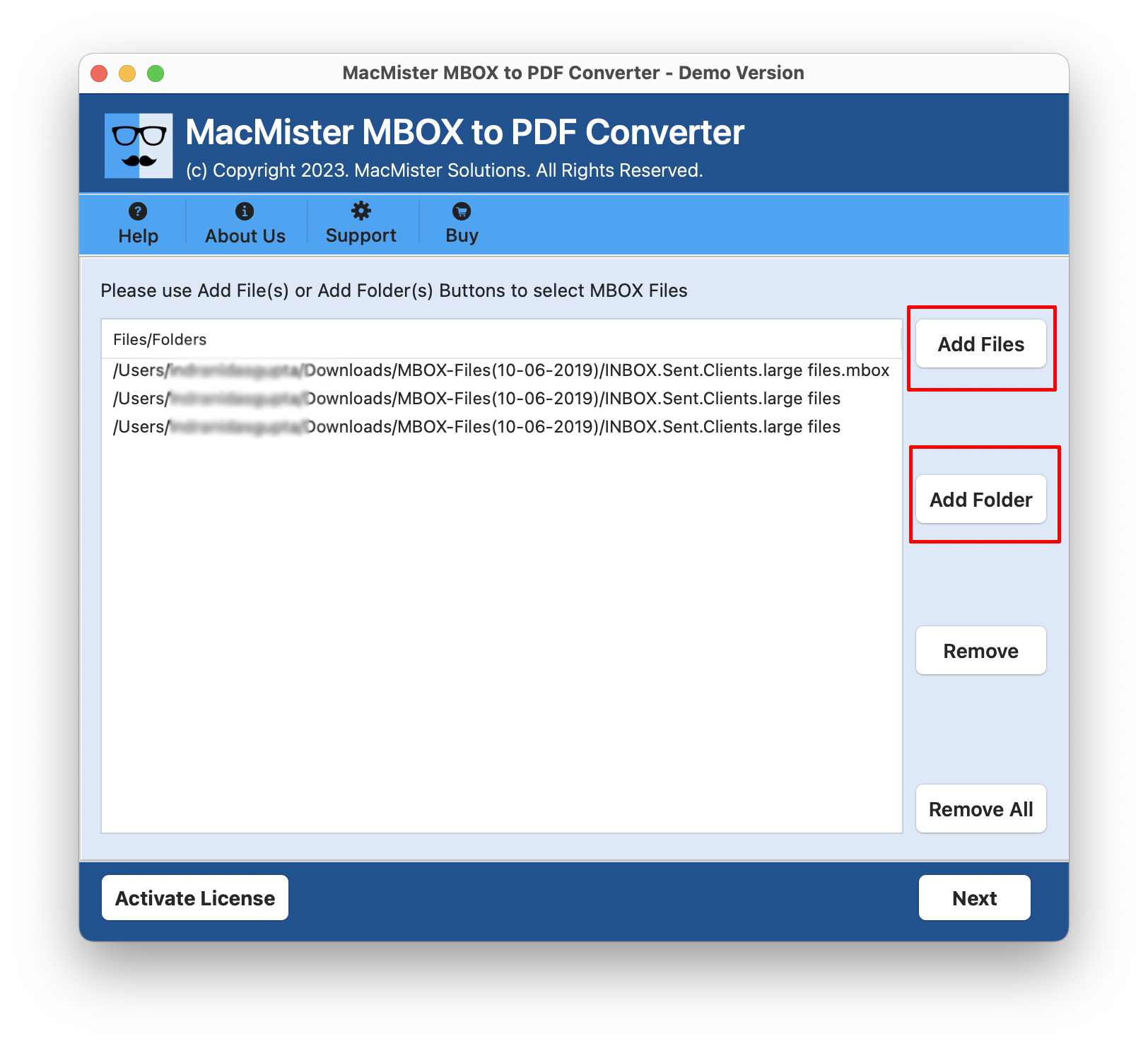
Step 2. Make use of dual options such as Add File(s)/Add Folders to load required MBOX files/folders on the tool.
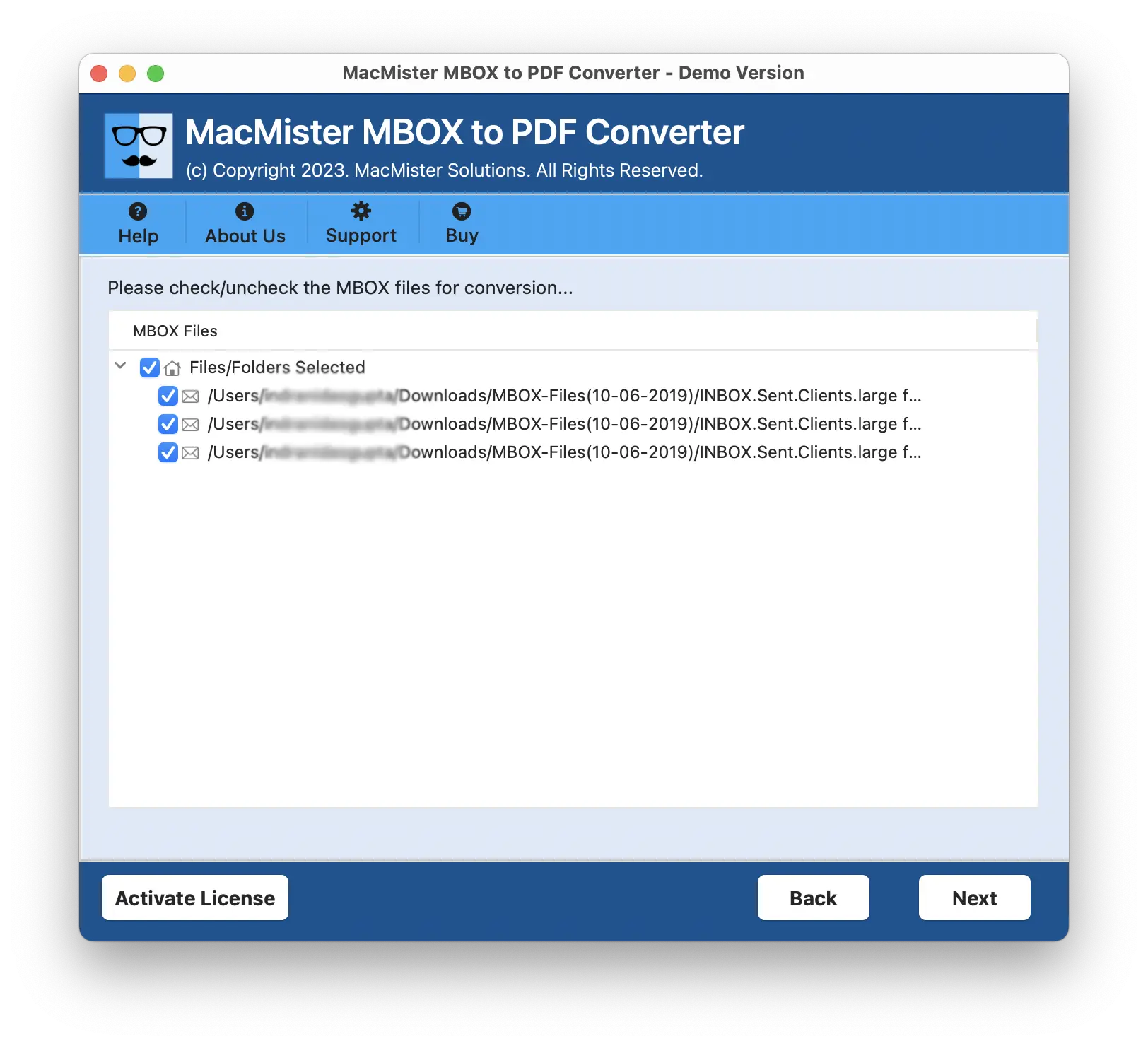
Step 3. The software will immediate list MBOX files on its pane with checkboxes. These checkboxes will be selected by default but one can deselect them and select again according to the requirements, if needed. Click Next to proceed.
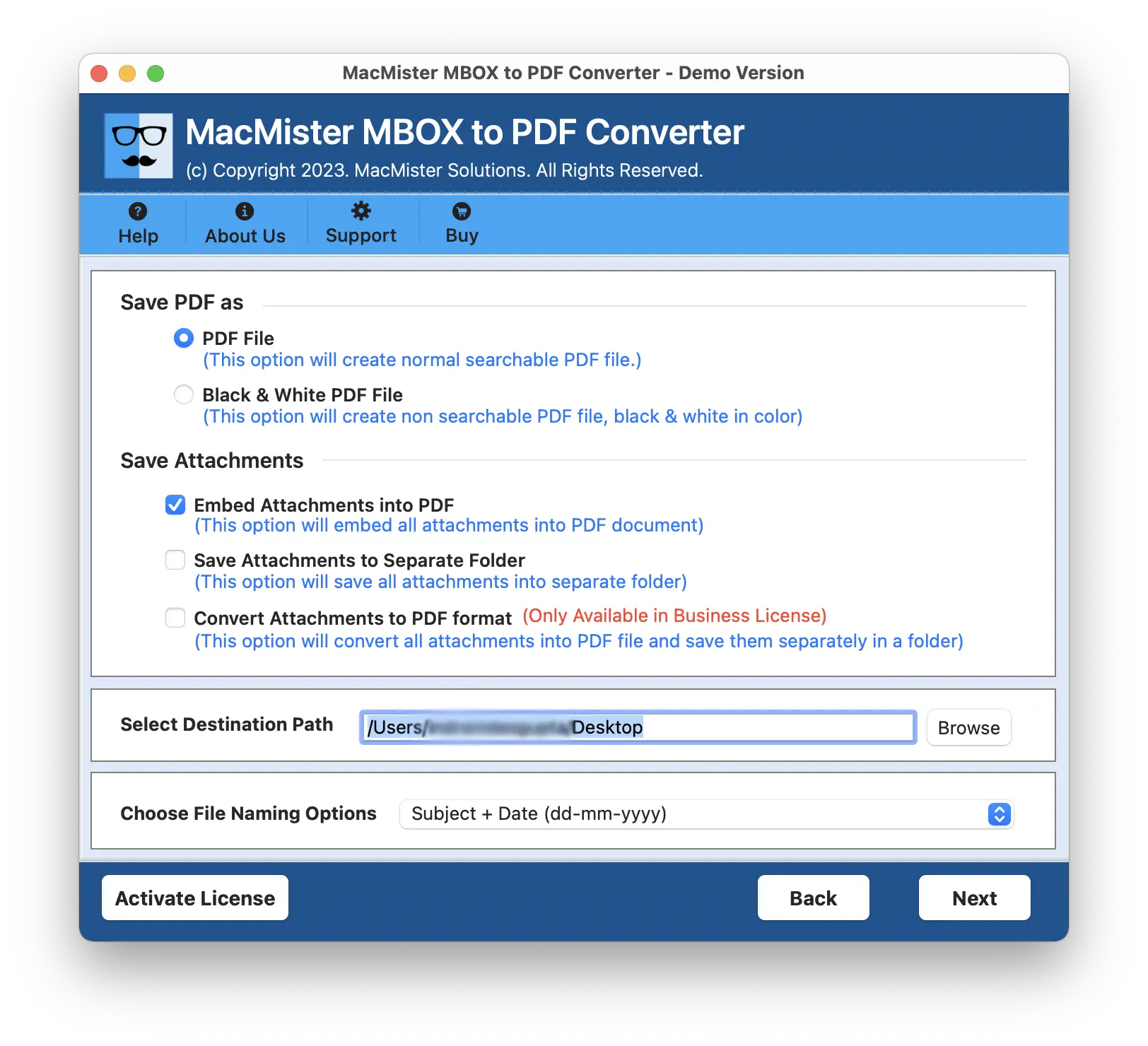
Step 4. Now, set the options appearing as per your requirements.Click Next to proceed.
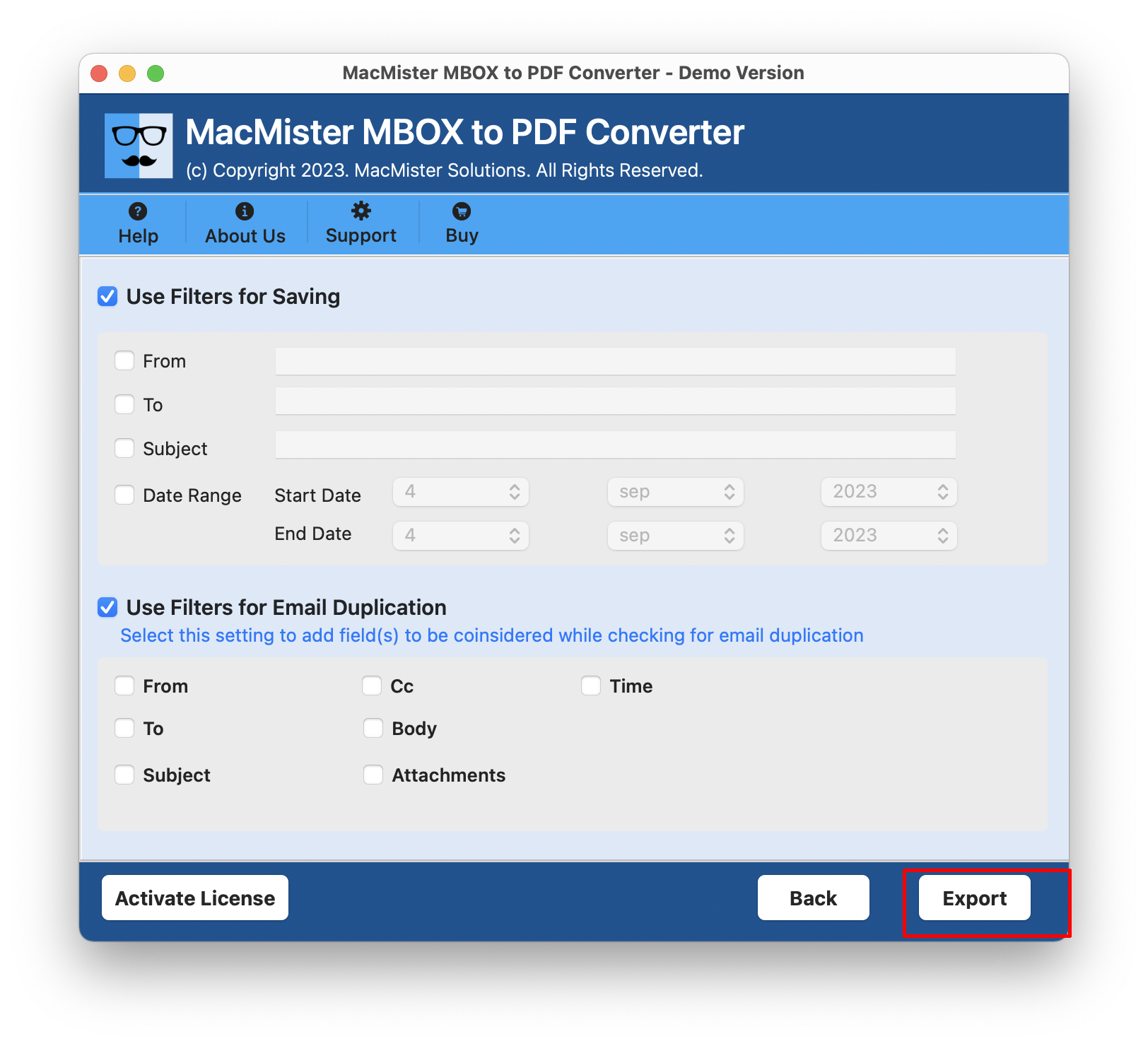
Step 5. Apply the Filters as per your choice for email duplication and to save only the required MBOX files into PDF. Last, hit Export button.
Step 6. The process will be live and a Live Conversion Report will appear that shows the ongoing conversion progress of MBOX files.
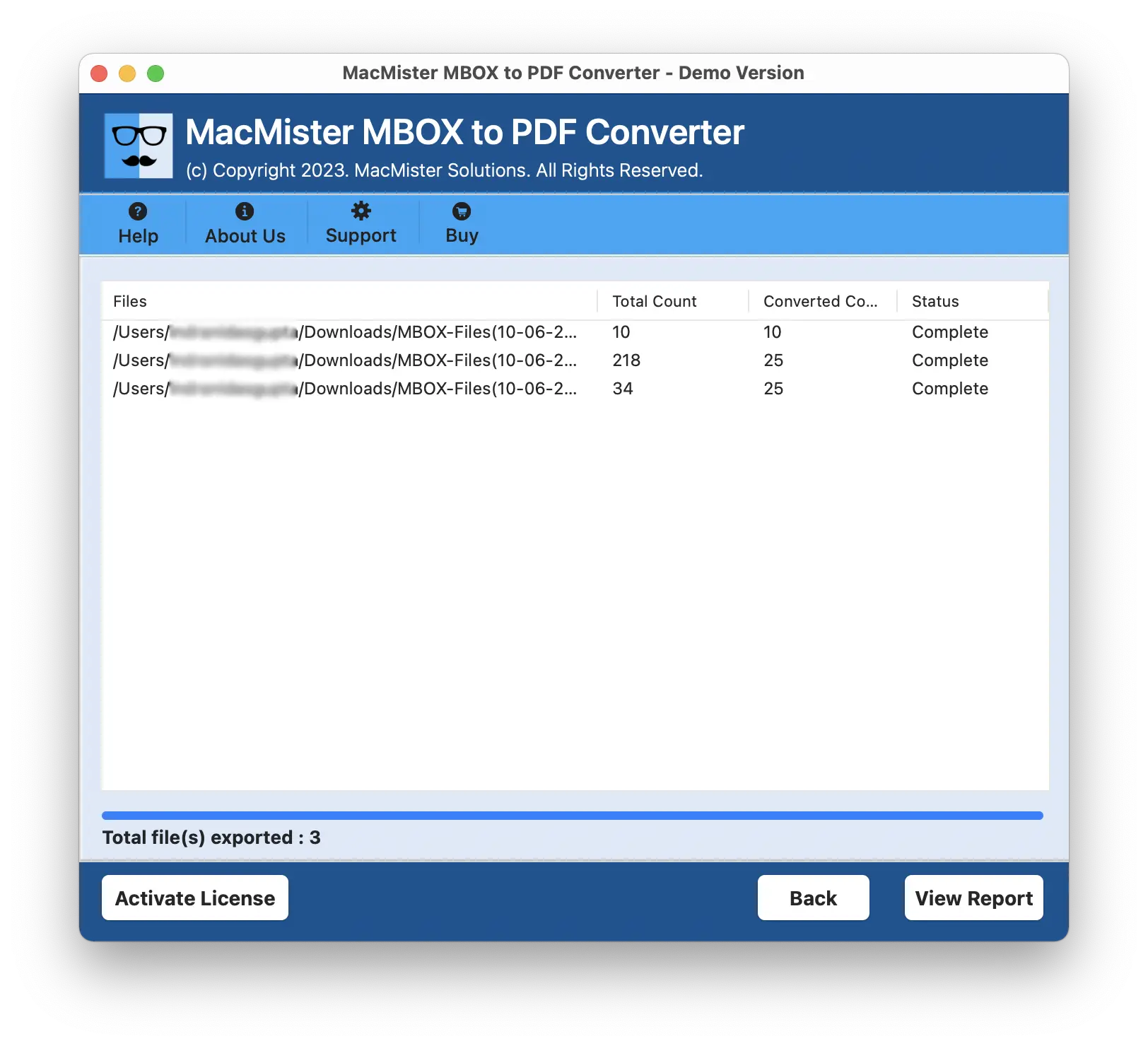
The entire conversion will end in few seconds and a message will be generated that confirms that the complete process is successfully finished. Tap OK button and go to the location where PDF files are saved. Now, open the required PDF document to see if the conversion is performed accurately or not. Although, users will find no modification in the resultant files. Each and every emailwill be displayed with correct content, layout, & formatting properties.
Why MacMister MBOX to PDF Tool is a Beneficial Tool?
There are many reasons for choosing MacMister MBOX to PDF Converter Mac, such as -
- Performs batch process at once with accurate emails & attachments.
- Simple and friendly interface is easily operable by all types of users.
- Filters are available for email duplication and for specific MBOX file conversion.
- Provides Add File(s)/Add Folders options to add required MBOX files/folders on the app.
- Preserves the original content and layout throughout the process.
- Live Conversion Report will show the ongoing conversion progress of MBOX files.
- Compatible with macOS Sonoma, Ventura, Monterey, and earlier versions.
Conclusion
In the blog, we have explained an exceptional procedure to fix “how to access MBOX emails in PDF document on Mac”. MacMister MBOX to PDF Converter Mac is a smart and reliable solution that precisely carryout the conversion and provide the results with 100% accuracy. It is advanced, feature-rich, and highly secure. Any user can effortlessly manage the tool and perform the task as needed. However, a free demo of the application is available with the help users can evaluate and analyse the process free of cost. It also allows to view first 25 MBOX emails in PDF on Mac for free. Quick Note. You can also try MacMister MBOX Converter for Mac to access MBOX file into many other saving options such as PST, PDF, MSG, EML, EMLx, MHT, HTML, DOC, IMAP, G Suite, and more.

 English
 Arabic
 French
 Spanish
 Portuguese
 Deutsch
 Turkish
 Dutch
 Italiano
 Russian
 Romaian
 Portuguese (Brazil)