
Icom F62D Power and Setup: Batteries, Charging and Programming
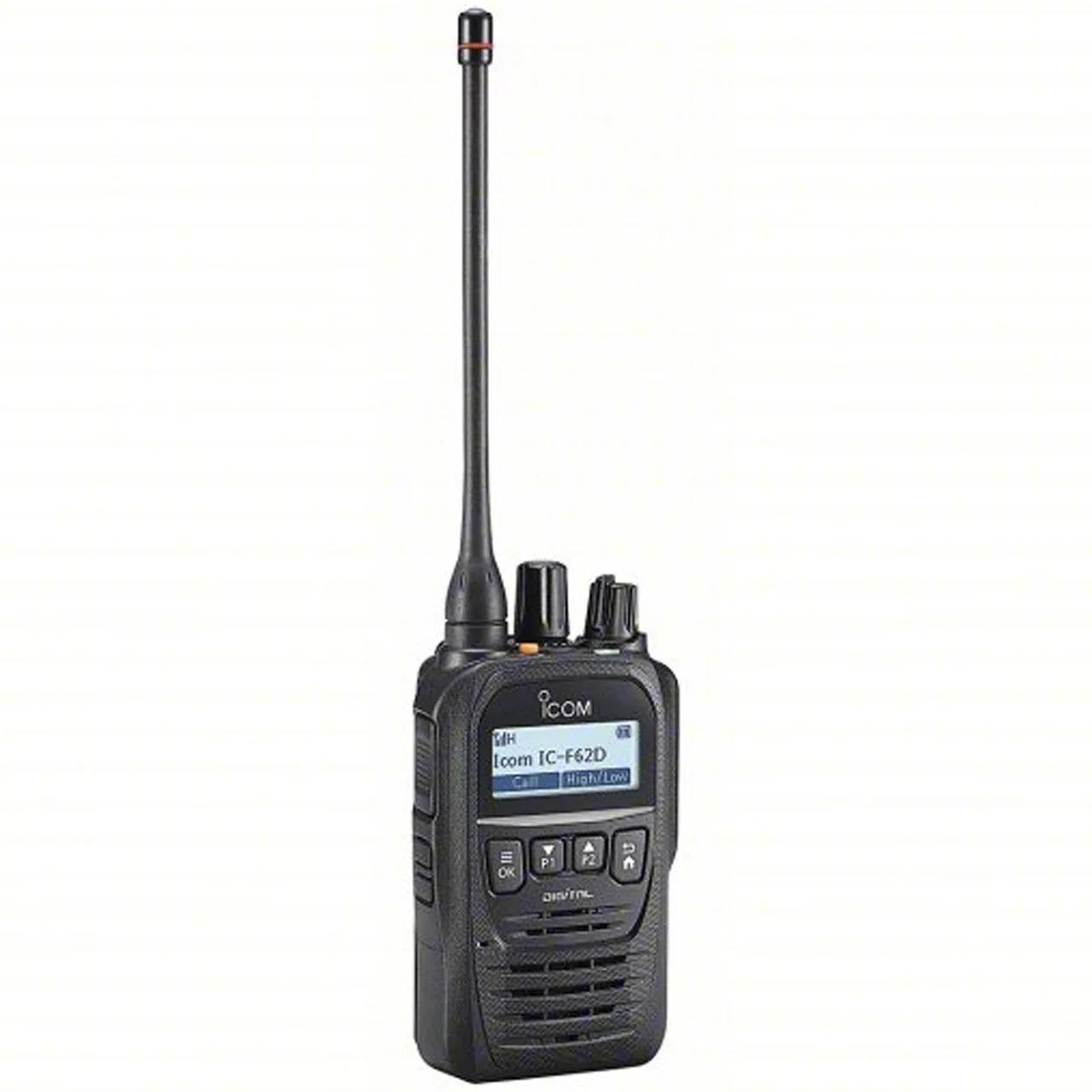
It's the night before a big shift change at a distribution center. A team lead named Priya pulls twelve new handhelds from their boxes and lines them up on a table. Batteries are in. Belt clips are on. Then she realizes nobody has loaded a single channel, and the chargers haven't arrived.
Radios don't work out of the box, not entirely. The Icom F52D and its UHF sibling need a few steps before the first call goes out. This article walks through power and setup using only what the product page says.
Understanding the Battery Options
BP294 Versus the Smaller Packs
The page lists three batteries. The BP294 is 3150 mAh. The BP290 and BP292UL are 2010 mAh. A bigger capacity number usually means more time between charges, but the page gives no runtime hours, so I won't promise any.
Each radio ships with either a BP294 or a BP292UL. That's the included battery. The others can be bought when a team wants spares or a different capacity.
The UL Battery Rule
For the intrinsically safe F52DUL and F62DUL, the BP292UL is required to keep UL913 certification. This is the one battery rule you can't bend. Standard radios are more flexible.
So Priya's warehouse, with no hazardous areas, can use the BP294. A fuel handling team down the road can't. Same family, different rules, which is why labeling batteries clearly makes sense.
Charging Without Surprises
The Charger Isn't Included
Here's the part that bites. No charger comes with these radios. The page names the BC219N rapid single unit charger as a compatible Icom option, sold separately. Priya had ordered chargers, but they weren't in the same shipment.
A single unit charger charges one radio or battery at a time, so a team of twelve needs a plan. Maybe a few chargers rotate through shifts. Think it through before the first day, not during it.
Planning Charging Habits
A habit makes more difference than any spec. Put radios on chargers at the end of every shift, same place, same routine. A team that does this rarely runs dry mid job.
The icom f62d is no different from any other handheld here. It needs charged batteries, and those need a routine. Boring, yes, but it keeps the radios useful.
Getting the Radio Programmed
CSF52D Software
The CSF52D programming software is included with the radio. It's how channels, zones and settings get loaded. With 512 channels across 128 zones, there's real room to build a layout that fits each department.
Think carefully about layout before typing. A tidy zone plan, such as one zone per team, makes radios easy to use. A messy one confuses everybody, including the person who built it.
The OPC2338 Cable
The software needs a connection, and that's the OPC2338 14 pin USB programming cable. It's sold separately. Priya's team had the software and no cable, which is just as stuck as having nothing.
Order one cable for the whole fleet if one person programs everything. It's cheap compared to a delay. And the page links to it directly in the included items table.
Antennas and Accessories
Matching the Antenna
An antenna must match the radio's frequency. The Icom F52D is VHF at 136 to 174 MHz. UHF radios cover 400 to 470 MHz or 450 to 512 MHz. Multiple antenna options exist for each.
Ordering by frequency avoids mistakes. If a radio won't perform, a mismatched antenna is the first suspect. Priya checked hers twice. Good habit.
The Accessories Catalog
The page recommends a dedicated catalog for F52D, F52DUL, F62D and F62DUL accessories and parts, with compatible items and replacement parts. It's the place to look for anything beyond the basics.
Headsets work through Bluetooth, and the MBB3 belt clip is already included. Beyond that, buy only what the job needs. Fleets tend to over order accessories nobody uses.
Keeping It Covered
Warranty Basics
A 3 year warranty covers the radio and 1 year covers accessories, including those sold separately. So batteries and chargers fall under the shorter window. Priya noted the purchase date on her calendar.
For a manager buying the icom f52d in bulk, the dates matter. A simple spreadsheet with serial numbers and purchase dates keeps everything traceable.
A Calm Setup Day
With chargers delivered, cable in hand and channels loaded, Priya's shift change goes fine. Radios work. People talk. Nobody notices the setup, which is how it should be.
Spreading setup over a couple of days reduces stress. Charge first, program second, test third. That order works well.
Final Word
Radios are easy once the setup is done. The Icom F62D and Icom F52D are no exception, but they do need batteries, chargers, antennas and a programming cable. Get those together, and the rest follows.
FAQs
What battery sizes are available?
The BP294 is 3150 mAh, while the BP290 and BP292UL are 2010 mAh.
Does the Icom F52D include a charger?
No. A compatible Icom charger like the BC219N is sold separately.
How do I program the Icom F62D?
Use the included CSF52D software with the separately sold OPC2338 cable.
Which battery must UL models use?
The BP292UL battery.

 Arabic
 French
 Spanish
 Portuguese
 Deutsch
 Turkish
 Dutch
 Italiano
 Russian
 Romaian
 Portuguese (Brazil)
 Greek