
Managed vs Self-Managed Dedicated Servers: Which Is Right for Your Team?
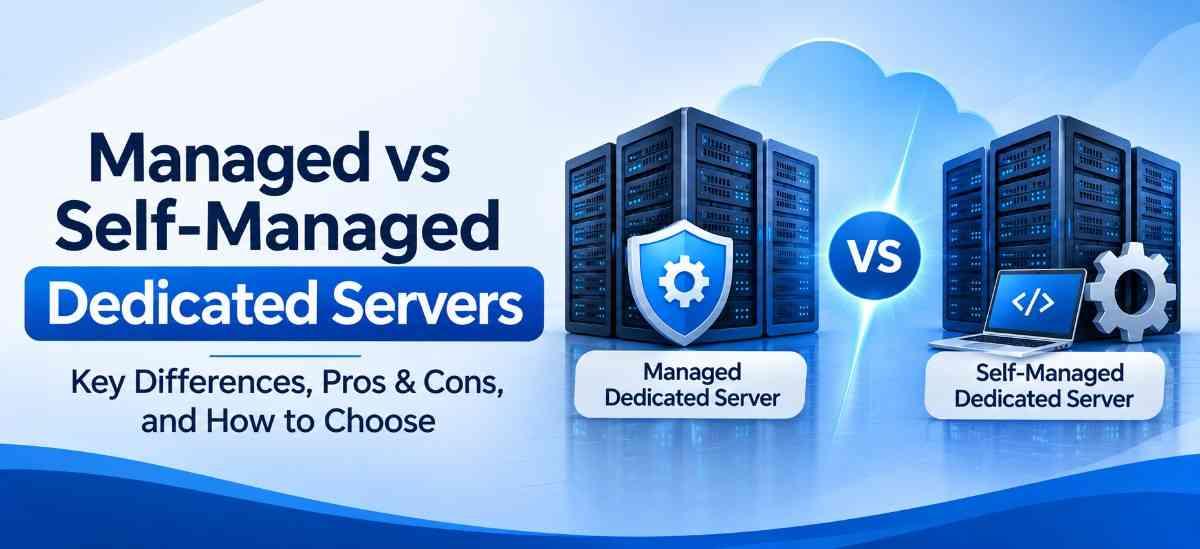
Choosing a dedicated server is not just about selecting the right processor, RAM, or storage. You also need to decide who will manage the server after it is deployed.
Some businesses prefer their hosting provider to handle server maintenance, security updates, and technical troubleshooting. Others want complete control over their infrastructure and prefer managing everything internally.
This is where managed and self-managed dedicated servers come into the picture.
Both options provide exclusive access to physical server resources. The main difference is who takes responsibility for configuring, maintaining, securing, and troubleshooting the server.
Understanding this distinction is important because server management affects operating costs, security, performance, and the amount of technical work your team needs to handle.
In this guide, we'll explain how managed and self-managed dedicated servers work, their advantages and disadvantages, and how to choose the right option for your business.
What Are Managed Dedicated Servers?
A managed dedicated server is a physical server where the hosting provider handles agreed server administration and maintenance tasks on behalf of the customer.
With managed dedicated servers hosting, businesses can use dedicated hardware without taking responsibility for every technical aspect of server administration.
Think of it like renting a fully serviced office.
You get your own workspace, but the service provider handles maintenance and other agreed operational responsibilities.
Similarly, a managed hosting provider may take care of operating system installation, security patches, server monitoring, and technical troubleshooting.
For example, an e-commerce business might use a managed dedicated server to host its online store while the provider maintains the server environment.
However, managed hosting does not always include application development, website maintenance, or database administration.
The exact services depend on the provider's management plan.
What Are Self-Managed Dedicated Servers?
A self-managed dedicated server, also called an unmanaged dedicated server, is a physical server where the customer is responsible for managing the operating system, applications, security configuration, and ongoing maintenance.
The hosting provider typically handles the underlying physical infrastructure, including hardware replacement, power, cooling, and network connectivity.
Everything above that infrastructure layer is generally managed by the customer.
Think of it like renting an empty office.
The building owner provides the space and basic facilities, but your team is responsible for setting up and maintaining the working environment.
Similarly, with self-managed dedicated hosting, your technical team installs software, configures security policies, monitors applications, and resolves operating system issues.
This option provides greater administrative freedom but requires appropriate technical expertise.
Managed vs Self-Managed Dedicated Servers: Key Differences
Both hosting models provide dedicated hardware, but their management responsibilities differ significantly.
|
Feature |
Managed Dedicated Server |
Self-Managed Dedicated Server |
|
Physical hardware |
Provider maintains |
Provider maintains |
|
OS installation |
Usually provider |
Customer or initial provider setup |
|
OS updates |
Usually included |
Customer responsibility |
|
Security configuration |
Within agreed scope |
Customer responsibility |
|
Server monitoring |
Often provider-managed |
Customer-managed |
|
Software installation |
Depends on plan |
Customer-managed |
|
Troubleshooting |
Within support scope |
Customer-managed |
|
Administrative control |
May be restricted |
Generally extensive |
|
Cost |
Higher management cost |
Lower base cost |
|
Technical expertise |
Less required internally |
Strong technical skills needed |
Let's understand these differences in detail.
1. Server Setup and Configuration
With managed dedicated hosting, the provider typically assists with initial server setup.
This may include operating system installation, basic security configuration, and supported software setup.
The customer can focus on deploying applications rather than configuring every server component.
With self-managed hosting, the customer handles most configuration tasks after the server is provisioned.
This includes installing applications, configuring services, setting permissions, and preparing the environment for production workloads.
Which is better? Managed hosting is useful for teams that want deployment assistance, while self-managed hosting suits organizations with experienced system administrators.
2. Security and Updates
Security is one of the most important responsibilities in server management.
Managed hosting providers may handle operating system patches, security monitoring, firewall configuration, and vulnerability remediation within their agreed service scope.
This reduces the amount of routine administration required from the customer's team.
With self-managed servers, the customer must establish and maintain security practices.
These include installing updates, managing user access, securing remote connections, and monitoring suspicious activity.
However, neither option automatically guarantees complete security.
Application-level security, credential management, and data protection may remain the customer's responsibility even with managed hosting.
3. Monitoring and Troubleshooting
Servers require continuous attention to identify problems before they cause major disruptions.
Managed hosting plans may include monitoring CPU usage, RAM consumption, storage health, and service availability.
When a covered issue occurs, the provider's technical team can investigate and perform troubleshooting.
With self-managed hosting, your team must configure monitoring tools, review alerts, and resolve software-related issues.
The provider generally assists with physical hardware or network problems covered by the hosting agreement.
For businesses without dedicated infrastructure staff, managed monitoring and support can reduce operational pressure.
4. Control and Customization
Self-managed dedicated servers generally provide extensive administrative control.
Your team can install custom software, configure operating system settings, and build specialized environments.
This makes self-managed hosting attractive for organizations with unique technical requirements.
Managed hosting may also offer substantial customization, but certain changes can be restricted by the provider's support policies.
For example, installing unsupported software might affect the level of technical assistance available.
Therefore, businesses should confirm administrative access and customization policies before purchasing managed hosting.
5. Cost and Resource Requirements
Managed dedicated servers generally cost more because the hosting provider supplies additional administration and support services.
Self-managed servers typically have lower base hosting charges.
However, lower hosting fees do not always mean lower overall expenses.
A self-managed server may require system administrators, monitoring software, security tools, and additional staff time.
For example, a business without an infrastructure team might spend more hiring technical specialists than it would on a suitable managed hosting plan.
The correct comparison should include both hosting charges and internal operational costs.
Advantages of Managed Dedicated Servers
Managed hosting offers several benefits for businesses that prefer to outsource routine infrastructure administration.
-
Reduced technical workload: The provider handles agreed maintenance and administration tasks.
-
Access to technical expertise: Businesses can receive assistance from experienced server administrators.
-
Routine maintenance: Supported updates and monitoring tasks can be handled by the provider.
-
More time for core operations: Internal teams can focus on applications, customers, and business development.
However, managed hosting can cost more and may limit certain customization options.
Advantages of Self-Managed Dedicated Servers
Self-managed hosting is particularly useful for organizations with established IT or DevOps teams.
-
Greater administrative control: Teams can configure the server according to their requirements.
-
Flexible software environment: Businesses can install custom applications and management tools.
-
Lower base hosting cost: Customers avoid some recurring management charges.
-
Direct operational responsibility: Internal teams control maintenance schedules and configuration decisions.
The main disadvantage is that the organization must have sufficient expertise and availability to manage the server reliably.
Which Option Is Right for Your Team?
The right choice depends on your technical capabilities, workload, and business priorities.
Choose Managed Dedicated Hosting If:
Your business has limited server administration experience or prefers to outsource routine infrastructure management.
Managed hosting is often suitable for small businesses, e-commerce companies, and organizations that want technical assistance without maintaining a large internal infrastructure team.
It can also be valuable when your staff needs to focus on application development rather than server operations.
Choose Self-Managed Dedicated Hosting If:
Your organization has experienced system administrators, infrastructure engineers, or DevOps professionals.
Self-managed hosting is suitable when you need extensive customization, specialized software, or direct control over server configurations.
It may also be cost-effective when your team already has the tools and expertise required for monitoring, maintenance, and incident response.
What Should You Check Before Choosing?
Before selecting a hosting plan, review the provider's service scope carefully.
Confirm whether operating system updates, monitoring, firewall management, backups, control panel support, and troubleshooting are included.
Also check support availability, response-time commitments, administrative access policies, and additional charges.
For self-managed hosting, ensure your team can handle maintenance, security incidents, backup recovery, and unexpected technical problems.
Remember that 24/7 technical support does not necessarily mean 24/7 managed server administration.
Understanding these responsibilities beforehand helps avoid confusion when an issue occurs.
Conclusion
Managed and self-managed dedicated servers provide the same fundamental advantage: exclusive access to physical computing resources.
The difference lies in who manages the server's software environment and ongoing operations.
Managed dedicated hosting is generally suitable for businesses that want technical assistance, reduced administration responsibilities, and more time to focus on core operations.
Self-managed dedicated hosting is better suited to organizations with experienced technical teams that require greater control and customization.
Neither option is universally better.
The right decision depends on your team's technical expertise, available time, budget, and operational requirements.
Ultimately, choose the management model that allows your business to run its applications securely, efficiently, and reliably without creating unnecessary operational complexity.

 Arabic
 French
 Spanish
 Portuguese
 Deutsch
 Turkish
 Dutch
 Italiano
 Russian
 Romaian
 Portuguese (Brazil)
 Greek